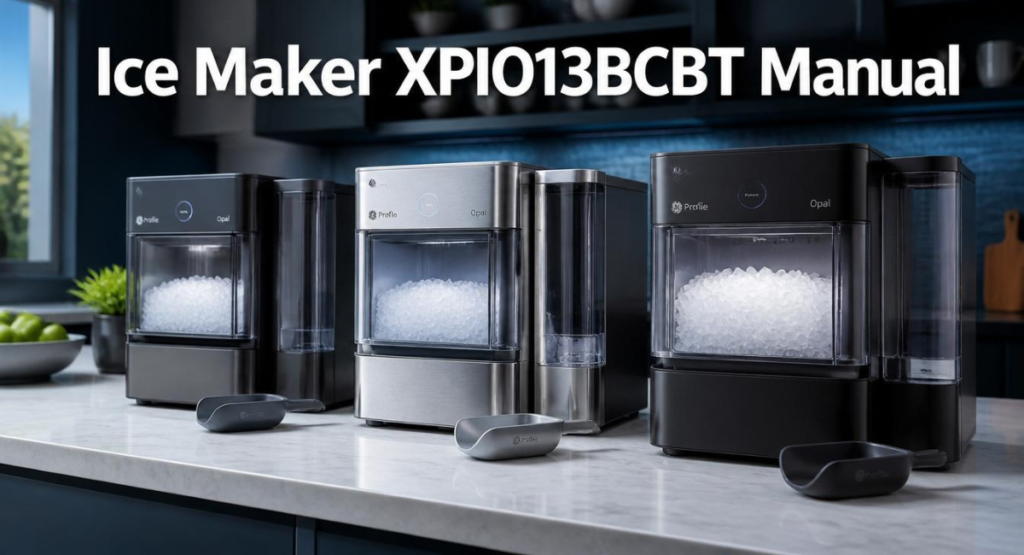
If you searched for the ice maker XPIO13BCBT manual, you’re most likely holding (or about to buy) a GE Profile Opal 2.0 Nugget Ice Maker with the side tank accessory — and you want the actual manual, not a marketing page. Here’s the direct answer: XPIO13BCBT and XPIO13SCSS are the same machine, just different finishes (black stainless vs. stainless steel), and they share one combined owner’s manual. Below is everything that manual covers, plus the troubleshooting steps GE’s own support team gives out for the most common complaint with this model — not making ice.
Table of Contents
Where to Actually Get the Manual PDF
The official source is GE Appliances’ own product support page, which hosts the current owner’s manual, installation instructions, and troubleshooting articles specific to this model. If you’re also searching for the GE Profile Opal 1.0 ice maker manual PDF for the earlier, tank-free version of this machine, note that it’s a separate document — the 1.0 doesn’t include the side tank accessory section, since that hardware only shipped with the 2.0 series (model numbers XPIO13BCBT, XPIO13SCSS, XPIO23BCBT, and XPIO23SCSS). Mixing up the two manuals is the single most common reason people can’t find instructions that match what’s actually in front of them.
Quick Specs (What’s Actually in the Manual)
| Spec | Detail |
|---|---|
| Model Numbers Covered | XPIO13BCBT, XPIO13SCSS (side tank included) |
| Rated Output | Approximately 1 lb of ice per hour, up to 24–38 lbs/day depending on ambient conditions |
| Power Requirement | 115V, 60Hz, 15A, grounded outlet (dedicated circuit recommended) |
| First Batch Time | Roughly 20 minutes from a cold start |
| Side Tank | Included only on XPIO13BCBT and XPIO13SCSS, not on base models without “13” side-tank designation |
| Compatible Filter | GE Opal Water Filter — the only filter compatible with this unit |
XPIO13SCSS / XPIO13BCBT Not Making Ice: Step-by-Step Fix
This is the single most searched issue tied to this model, and GE’s own troubleshooting guidance walks through it in a specific order. Before assuming anything is broken, check these in sequence:
- Check the front display. If you see white on the power button, the unit is flushing the system with water for about 5 minutes before it starts making ice — this is normal, not a fault. Just let it finish.
- Check for a yellow button. A yellow light means the unit is in cleaning mode and won’t produce ice until you slide the switch on the back of the unit from CLEAN to ICE.
- Check for “Add Water.” If this indicator is lit, the reservoir is low and the machine is waiting for more water before it can cycle.
- Check for “Cleaning” or “Defrosting.” While either of these modes is active, ice production pauses. A unit stuck in defrosting for days at a time typically points to a defrost sensor or thermostat fault rather than something you can fix by waiting it out.
- Make sure the ice bin is fully seated. A bin that isn’t pushed all the way in can trip the machine’s internal sensor and stop production even when everything else is working.
- Full reset. If none of the above resolves it, unplug the unit for 3–4 hours (some owners report needing longer, up to 10 minutes minimum, occasionally several hours for a full reset to take) and plug it back in.
If your unit shows continuous water flow into the reservoir with a flashing “Making Ice” light rather than actually producing ice, that combination usually points to the compressor failing to engage — often triggered by a clogged water filter restricting flow, a blocked water inlet valve, or a stuck float sensor misreading the water level. Replacing the filter and running one cleaning cycle resolves this for a meaningful share of cases; if it doesn’t, the compressor or control board is the more likely culprit and probably needs a technician.
Cleaning Routine (What the Manual Actually Recommends)
The manual specifies a fairly involved sanitizing process, not just a quick rinse:
- Mix five cups of water with one teaspoon of household bleach, pour it into the reservoir up to the fill line, then hold the Clean button for 3 seconds to start circulation.
- Repeat the rinse cycle with fresh water at least two more times after the bleach cycle to fully clear residue.
- For mineral buildup specifically, GE’s guidance suggests filling the reservoir with white vinegar to the max fill line and running up to three cleaning cycles, or using GE’s dedicated Opal Cleaning Kit. For heavier buildup, some owners let vinegar sit for hours with a vinegar-soaked towel draped over the ice chute overnight before running the cycle.
- Never use soap inside the reservoir itself — only water and a soft cloth on the exterior and removable ice bin.
Skipping this schedule is the most common reason people search for troubleshooting help in the first place — the auger mechanism in any nugget-style machine, including this refrigeration-based appliance, has nowhere for mineral scale to hide the way a simple ice tray does.
XPIO13SCSS Parts: What You Might Need to Replace
The parts people search for most with this model are rarely the compressor itself — it’s almost always one of these smaller components:
- Opal Water Filter — the only water filter compatible with the unit; replace roughly every 6 months or per the app’s reminder.
- Side tank cap and valve assembly — a common failure point if water stops flowing from the side tank into the main reservoir; the fix is usually reseating the drain tube (labeled B) so it’s lying flat, since trapped air bubbles in that tube are the most frequent cause.
- Drain tubes (A and B) — located on the back of the unit; tube A connects to the black hanger, tube B connects specifically to the side tank.
- Ice bin and drip tray — both are dishwasher-unsafe for the side tank specifically, hand-wash only.
If you’re not sure which part you need, GE’s own parts lookup by model and serial number (found on a label on the back of the unit) is more reliable than guessing from a photo, since XPIO13BCBT and XPIO13SCSS share nearly identical internals but occasionally use different colored housings for the same part number.
Frequently Asked Questions
Where can I find the GE Profile ice maker manual PDF?
The most reliable source is GE Appliances’ own product support page for your exact model number, which hosts the current owner’s manual and installation guide as downloadable PDFs alongside troubleshooting articles.
Is the GE Profile Opal 1.0 ice maker manual PDF different from the 2.0?
Yes. The Opal 1.0 doesn’t include a side tank accessory section since that hardware wasn’t available for that generation, and several display and cleaning-cycle instructions differ between the two versions. Always match the manual to your exact model number rather than assuming they’re interchangeable.
Why does my XPIO13SCSS say “Add Water” when the tank is full?
This usually points to an air bubble trapped in the tube connecting the side tank to the main unit, preventing water from actually reaching the reservoir sensor. Reseating the tube so it lies flat, and briefly running water through the lines per the setup instructions, resolves this for most owners.
What does XPIO13SCBSS mean — is that a different model?
This is typically just a typo or transcription of XPIO13SCSS in searches and forum posts — GE’s official model designation is XPIO13SCSS, not XPIO13SCBSS. If you’re trying to look up parts or manuals, search using XPIO13SCSS to get accurate results.
How many pounds of ice does this model actually produce?
GE rates it at roughly 1 lb of ice per hour under ideal lab conditions, translating to up to 38 lbs in 24 hours. In a warmer kitchen, expect a real-world figure closer to 24–32 lbs/day.
Still Stuck?
If you’ve worked through the reset, filter replacement, and cleaning cycle and the unit still won’t produce ice, that’s the point where GE’s own support recommends contacting them directly with your serial and model numbers ready, since some fixes (a failed compressor, a cracked auger housing, a bad control board) genuinely need a technician rather than another cleaning cycle. For a broader look at how this model compares to other nugget ice makers on the market, our ice maker reviews cover real hands-on testing across several brands, including a closer look at a budget-friendly alternative if you’re weighing whether to repair this unit or replace it. Got a different model giving you trouble? Reach out through our contact page, or browse more troubleshooting guides on the blog.